




With Crypto (own wallet) you pay straight from your wallet – no voucher mark-up. You pick the coin on the invoice, send the amount, and your access starts automatically once the payment is confirmed on the network. You don't need to send us anything.
How it works Which coins? Good to know
How it works
- Put your access in the cart and choose Crypto (own wallet) at checkout.
- Tap your coin on the invoice page. Bitcoin is selected by default.
- You see the exact amount, the address for this invoice and a QR code. Copy takes over the amount and address.
- Scan the QR code with your wallet or paste the address and amount, and send exactly that amount.
- Done. The invoice page shows you as soon as your payment has been seen. Once confirmed, the invoice is paid and your access is listed under My Services.
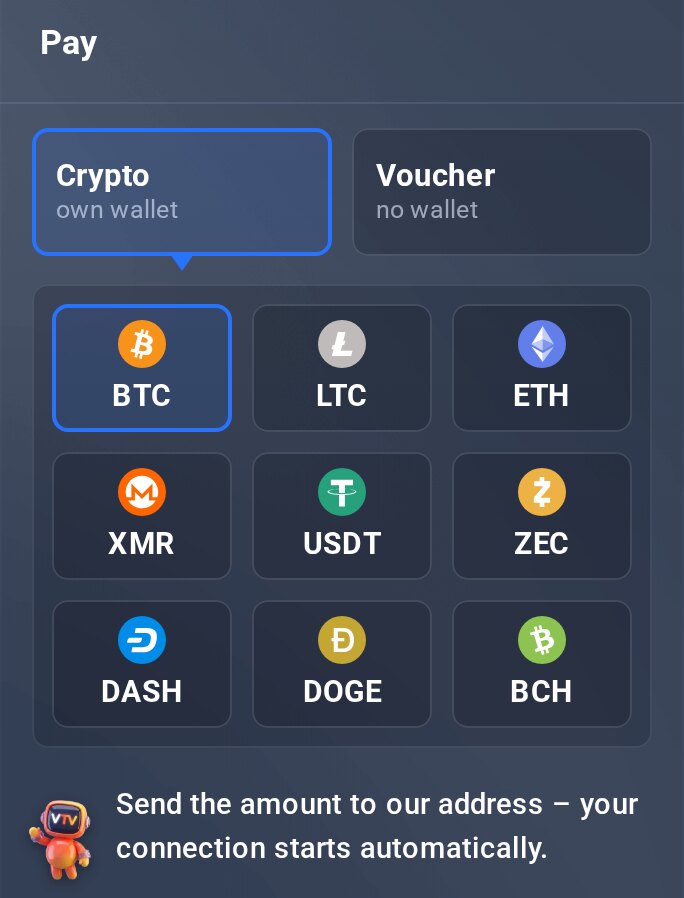
On the invoice: tap a coin.
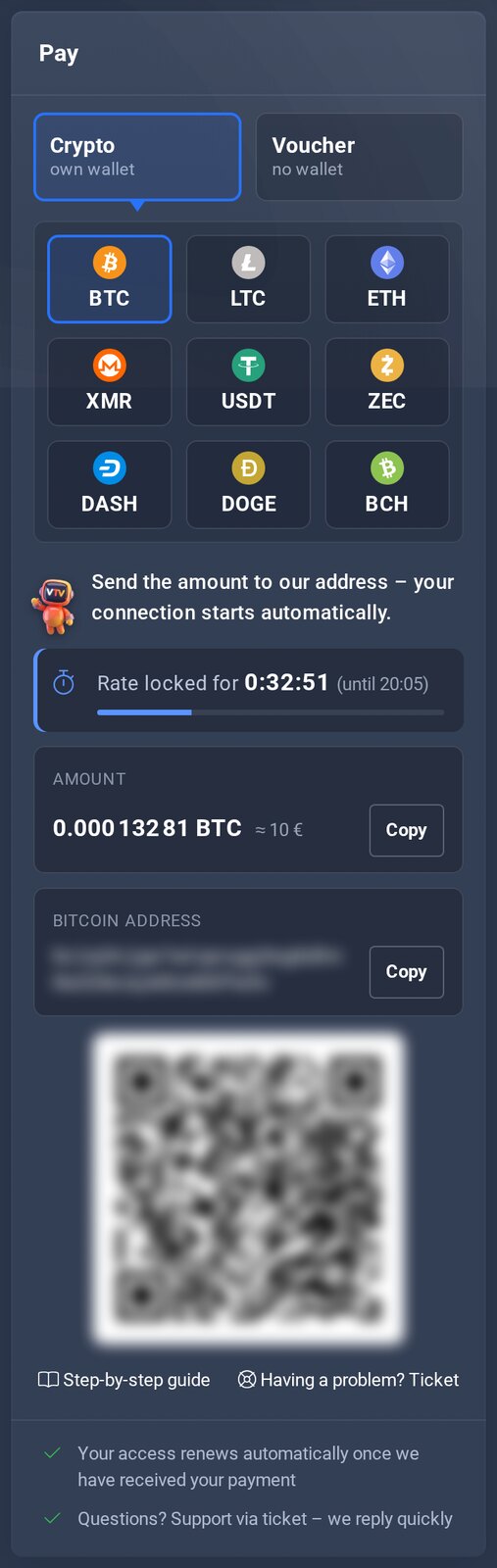
Amount, address and QR code.
Which coins?
Bitcoin (BTC), Litecoin (LTC), Ethereum (ETH), Monero (XMR), Tether (USDT), Zcash (ZEC), Dash, Dogecoin (DOGE) and Bitcoin Cash (BCH). The steps are the same for all of them.
Good to know
- The amount is valid for a limited time only – the page shows how long. If it has expired, get a new one there.
- Switch the coin by tapping another tile – as long as you haven't sent anything yet.
- Send each coin only to the address the invoice shows for it. Send USDT only on the Ethereum network (ERC-20).
- Overpayments are not credited or paid out – send exactly the amount.
Does your wallet ask about the recipient (Bitpanda, Coinbase, Kraken)? Extra details for wallet payments. No wallet yet? Set one up in a few minutes.
My Services Crypto or voucher? Open ticket (in the client area)
