




Pay with Crypto Voucher
Automatic processing: you redeem your voucher(s) yourself to the Bitcoin address shown – once the payment arrives, your invoice is marked paid automatically and your access is activated, with no ticket needed.
Why you redeem it yourself
When redeeming, cryptovoucher.io now asks for personal details (up to tax number and ID number). That is the provider's anti-money-laundering requirement and has nothing to do with your IPTV access – their rule, not ours. Whether you provide those details is entirely your choice.
We no longer redeem Crypto Vouchers for you, out of responsibility and safety for you: providers who still do take a high risk – in the worst case, customer data could end up with authorities. A safe, reputable service matters more to us than a convenient shortcut.
The simplest way, entirely without such details, is Azteco Voucher – our recommendation. Background & Azteco recommendation
Please note
This applies to all Crypto Vouchers alike – including ones already purchased. Please redeem your code yourself at the Bitcoin address on your invoice; our support cannot redeem it for you. This keeps the service secure and fair for everyone.
No crypto of your own needed: buy a Crypto Voucher (online, no verification required) and redeem it yourself to the Bitcoin address shown on your invoice.
You only pay your invoice amount – VenneTV covers the redemption fee. Once the payment arrives, your access is activated automatically. No ticket needed.
Important: denominations
- Please use the largest denominations possible. Example: €70 = 1×€50 + 2×€10.
- Avoid many small codes (e.g. 7×€10) – we cannot reliably process such splits.
- Overpayments will not be credited or refunded.
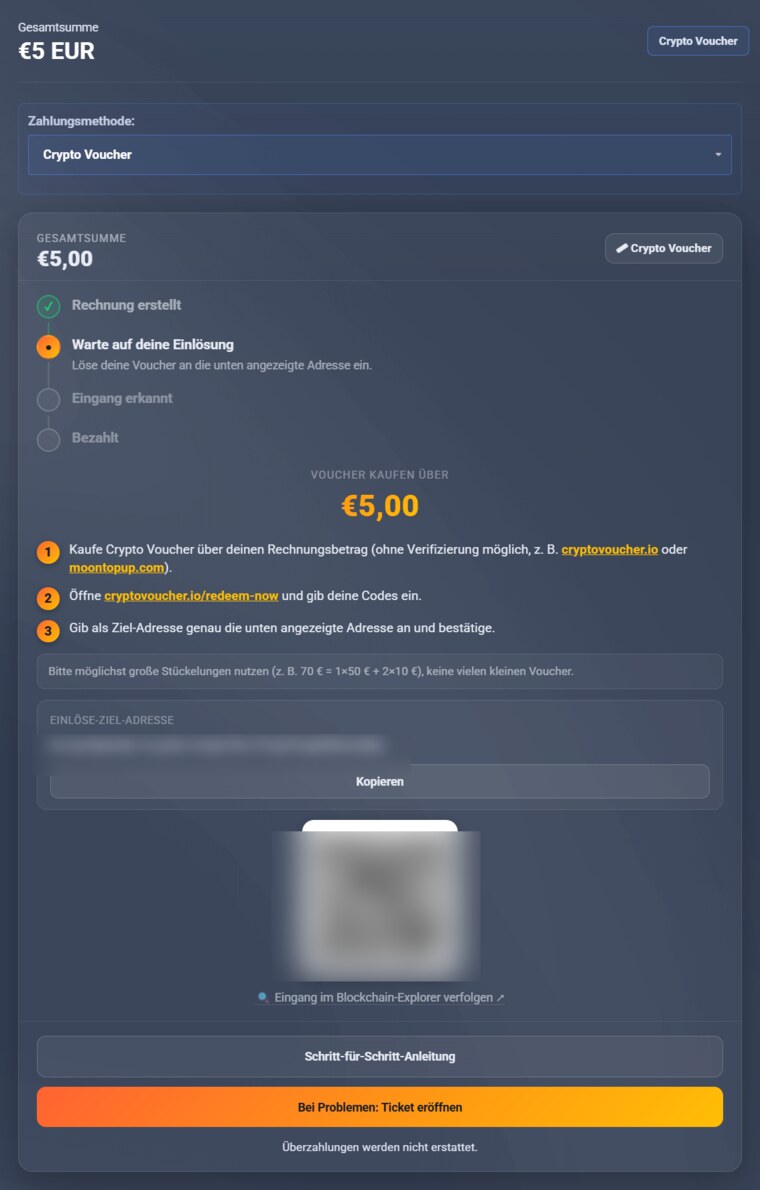
- Order your access & choose „Crypto Voucher". Your invoice page shows your personal Bitcoin address, a QR code and the amount.
- Buy a Crypto Voucher for your invoice amount. Providers: cryptovoucher.io; without verification e.g. moontopup.com.
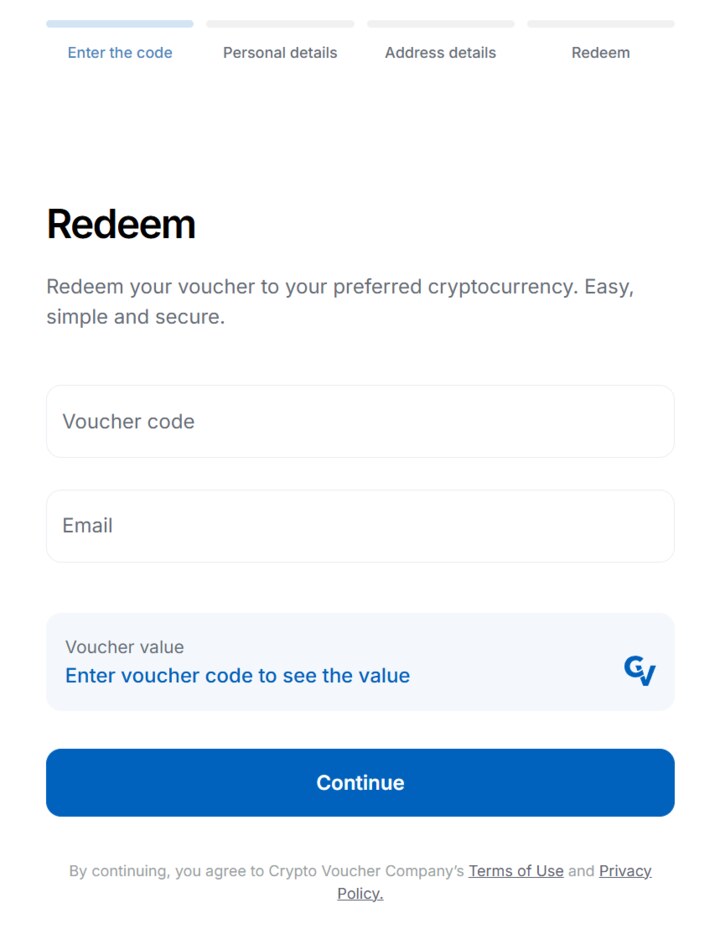
- Redeem at cryptovoucher.io/redeem-now. For each voucher code you go through four steps there – only the last one concerns our invoice:
- Enter your voucher code + your email address.
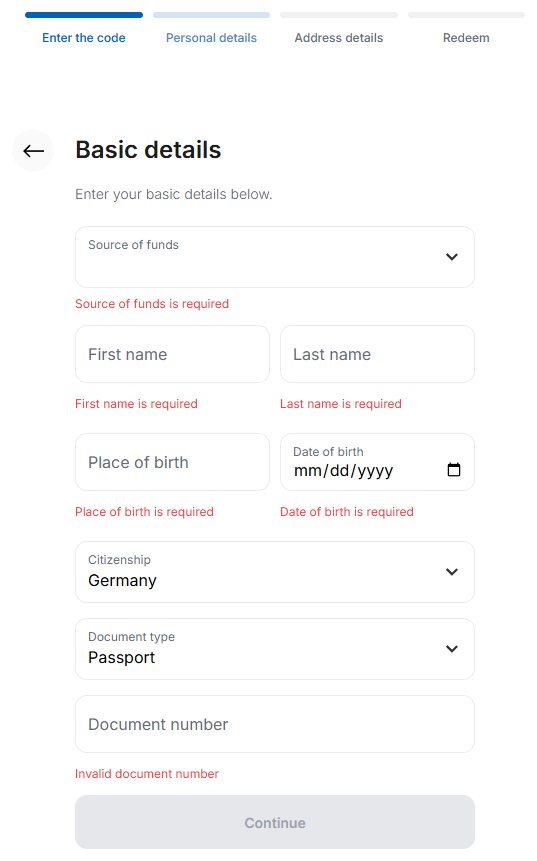
- Enter your personal details (first and last name) – these are your own details, not ours.
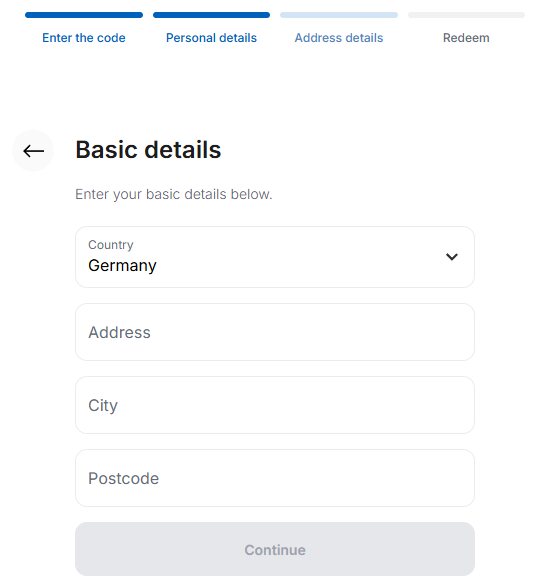
- Enter your own address (home address) – again your details.
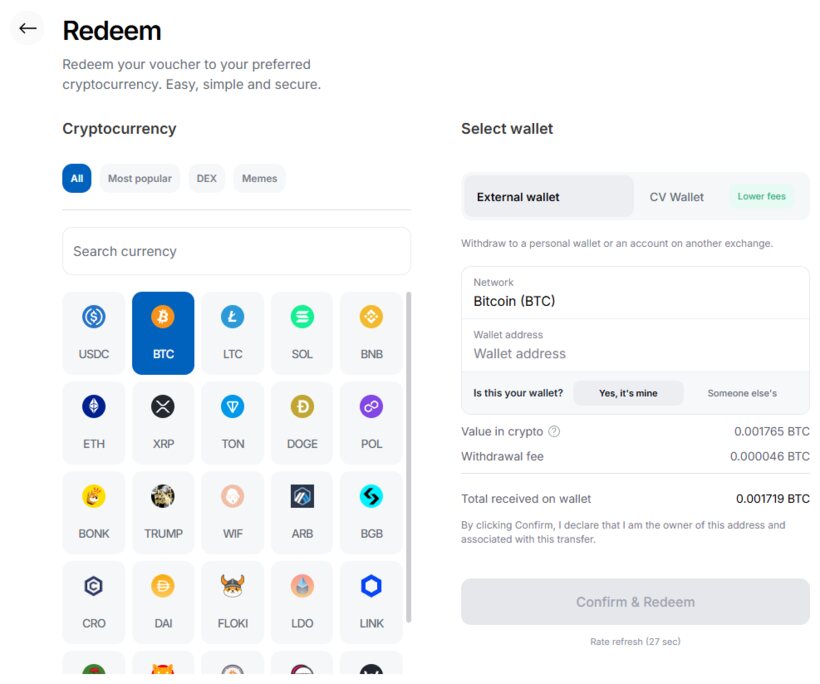
- Only now: choose „External wallet" + Bitcoin (BTC) as the payout and set the wallet address to exactly the Bitcoin address from your VenneTV invoice (copy & paste). For „Is this your wallet?" leave the pre-selected option „Yes, it's mine" (default) – that is the address your payment goes to. Then „Confirm & Redeem". CryptoVoucher confirms the redemption by email; your access is unlocked automatically afterwards.
Have several vouchers? Just repeat these four steps for each code – always using the same Bitcoin address from your invoice.
- Done: once the payment arrives, your access is activated automatically. Nothing to send us.
Your invoice page – your address, QR code and amount.
Here is what redeeming at CryptoVoucher looks like, step by step:
Step 1: enter your voucher code + your email address.
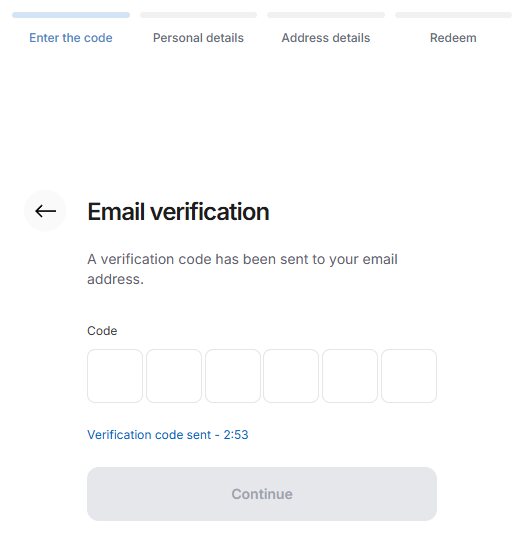
Step 2: confirm your email – enter the code from the CryptoVoucher email.
Step 3: enter your personal details – these are your own details.
Step 4: enter your address – again your own details.
Step 5: choose „External wallet" + Bitcoin (BTC), set the wallet address to the Bitcoin address from your invoice, leave „Is this your wallet?" on „Yes, it's mine", then „Confirm & Redeem".
Tip
If you pay with crypto more often, your own wallet (e.g. Exodus) can be worthwhile. Then you pay directly in Bitcoin and avoid the voucher fees.