




Azteco automatic is part of Voucher (no wallet) – you pay with an Azteco voucher (on-chain) without any wallet of your own. You redeem the voucher at Azteco straight to the Bitcoin address on your invoice. Once the payment is confirmed on the network, your access is unlocked – depending on the provider this can take a while. No ticket needed.
How it works Good to know What it looks like
Azteco on-chain (Bitcoin) only. Lightning vouchers don't work with us – only buy the on-chain voucher with a numeric code.
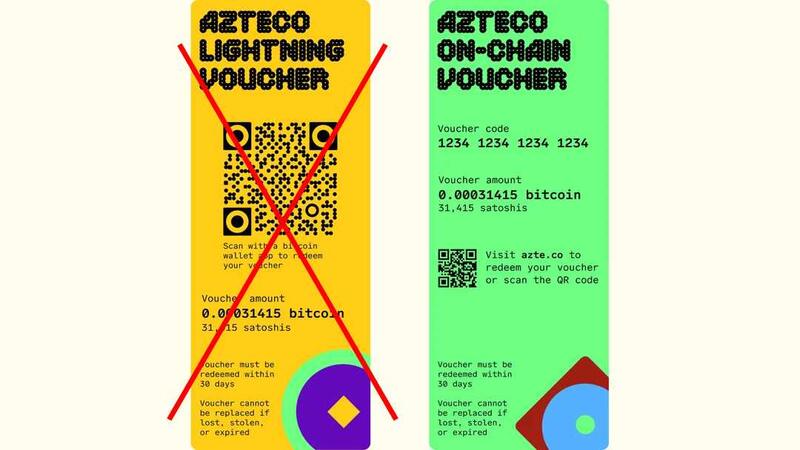
On-chain yes, Lightning no.
How it works
- Order your access with the payment method Voucher (no wallet) and tap Azteco automatic on the invoice page. The invoice page shows the Bitcoin address you redeem to – Copy takes it over.
- Buy an Azteco on-chain voucher for the invoice amount. For example at azte.co (list of sellers), moontopup.com or dundle.com. You pay with PayPal, card or Apple Pay.
- Open azte.co/redeem and enter the voucher code.
- Enter exactly the Bitcoin address from your invoice as the destination (copy and paste) and confirm.
- Several vouchers? Repeat steps 3 and 4 for each code – always with the same address.
Done. You don't need to send us anything; the invoice is marked as paid automatically.
Good to know
- Azteco vouchers only come in fixed sizes (25, 50, 100, 200 €). Match your invoice amount as closely as possible – the invoice page suggests a suitable combination.
- You only pay your invoice amount – VenneTV covers the redemption fee. Overpayments are not credited or refunded.
- Redeeming at Azteco needs no personal details.
- Prefer a ticket? Azteco via ticket and we'll redeem them.
What it looks like
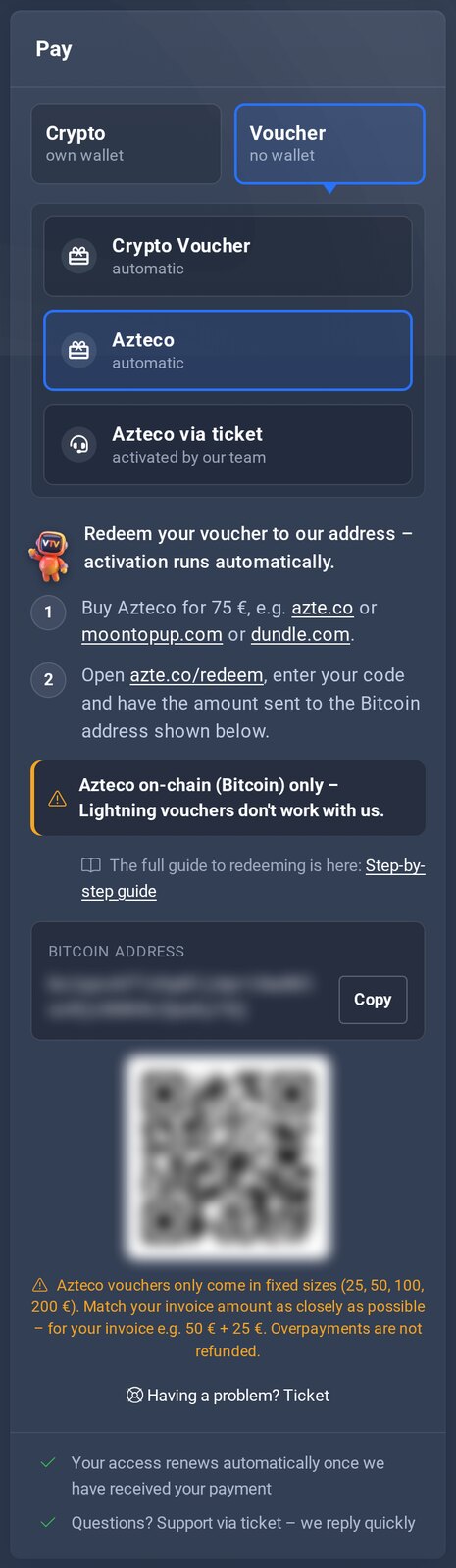
Your invoice page: Bitcoin address to redeem to and suitable voucher sizes.
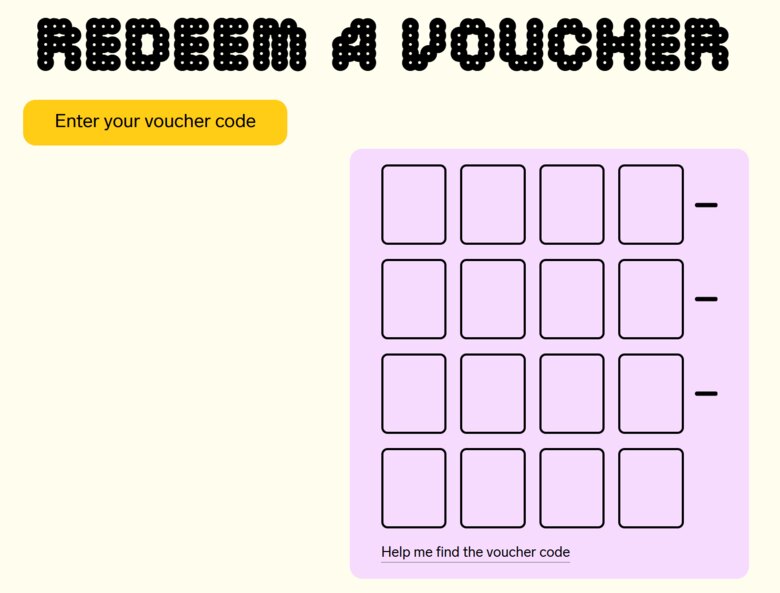
At Azteco: enter the code.
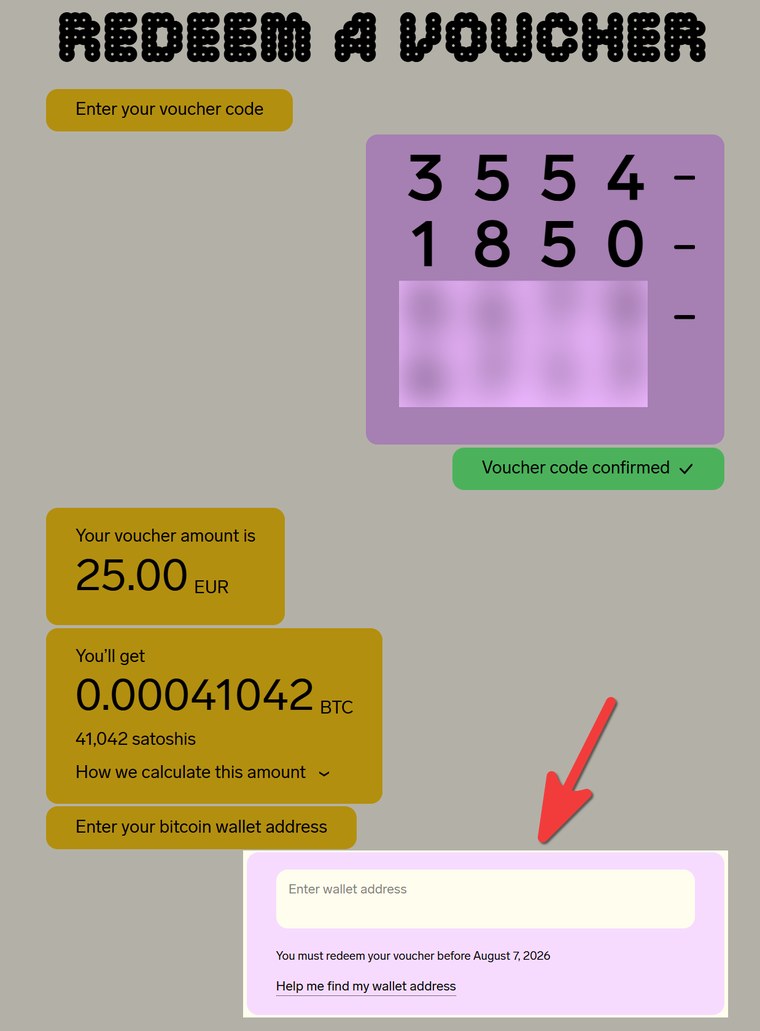
Then enter the Bitcoin address of your invoice as the destination.
