




You pay in two ways: Crypto (own wallet) or Voucher (no wallet). At checkout you pick the way, on the invoice you pick the coin or the voucher provider.
Crypto (own wallet) Voucher (no wallet) How to choose
Crypto (own wallet) – our recommendation
You pay straight from your wallet, with no voucher mark-up. You can choose Bitcoin, Litecoin, Ethereum, Monero, USDT and four more coins – all with the same steps. Your access starts automatically once the payment is confirmed on the network.
How to pay with crypto No wallet yet? Set one up
Voucher (no wallet)
You buy a voucher with PayPal, card or Apple Pay and redeem it yourself to the address on your invoice. Crypto Voucher and Azteco unlock automatically. With Azteco via ticket you send us the code and our team unlocks your access.
Azteco automatic – no personal details Azteco via ticket Crypto Voucher in the client area
How to choose
- At checkout, choose Crypto (own wallet) or Voucher (no wallet) and complete your order.
- On the invoice, tap the coin or the voucher provider. Bitcoin or Crypto Voucher is already selected.
- Pay with the details on the invoice. The page shows you as soon as your payment has arrived.
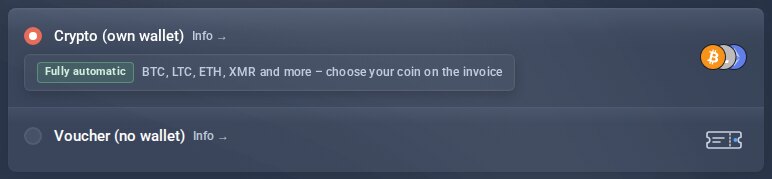
At checkout: two ways.
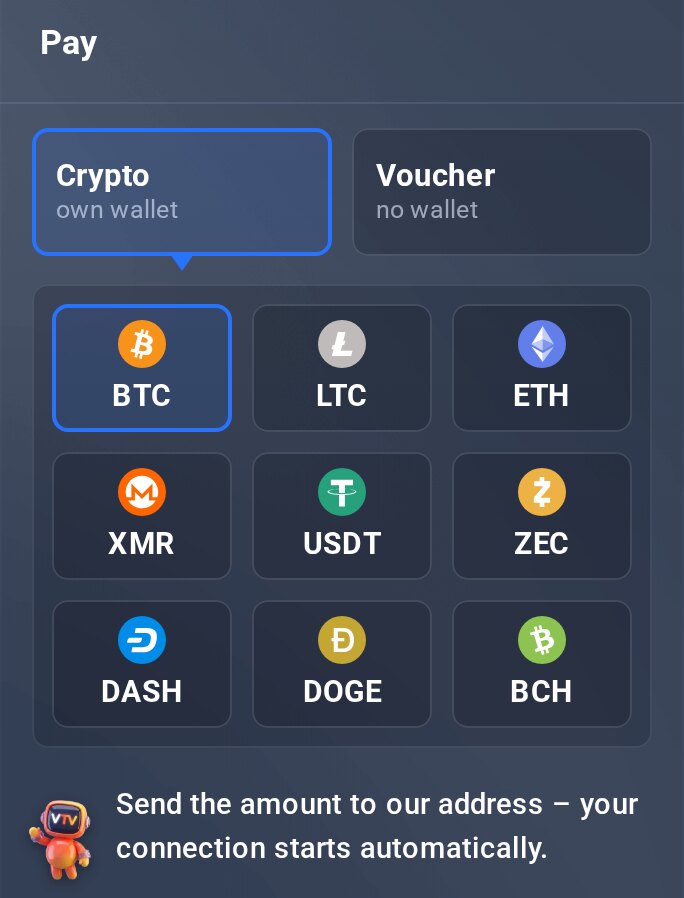
On the invoice: tap a coin or provider.
The ways compared
| Way | Fee | Unlock | Know-how |
|---|---|---|---|
| Crypto (own wallet) | no shop fee | automatic, usually within minutes | set up a wallet once |
| Voucher (no wallet) | mark-up when buying the voucher | automatic, with Azteco via ticket by our team | none |
- Crypto (own wallet)Fee: no shop feeUnlock: automatic, usually within minutesKnow-how: set up a wallet once
- Voucher (no wallet)Fee: mark-up when buying the voucherUnlock: automatic, with Azteco via ticket by our teamKnow-how: none
Good to know
- Once a payment is on its way, the invoice stays with that way and coin. You can only switch before.
- Overpayments are not credited or paid out – pay exactly the invoice amount.
- The voucher mark-up is charged by the provider, not by us. We don't accept Lightning vouchers.
