




Azteco via ticket is part of Voucher (no wallet): you send us your Azteco voucher code (on-chain) by ticket. We redeem them and unlock your access once we have handled your ticket. It's faster if you redeem yourself.
Azteco on-chain (Bitcoin) only. Lightning vouchers don't work with us – only buy the on-chain voucher with a numeric code.
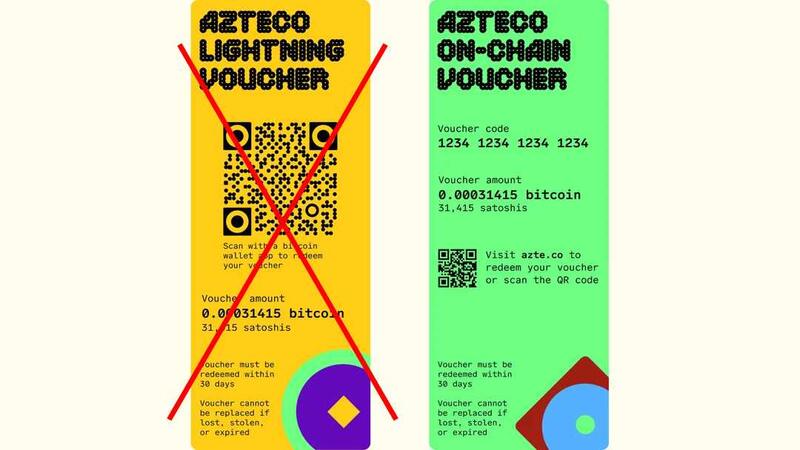
On-chain yes, Lightning no.
How it works
- Buy an Azteco on-chain voucher for the invoice amount. List of sellers at azte.co; without verification for example at moontopup.com or dundle.com. You pay with PayPal, card or Apple Pay, the code arrives by e-mail.
- Choose the payment method Voucher (no wallet) when ordering and tap Azteco via ticket on the invoice page. Or open an existing invoice in the client area and switch there.
- Send us the numeric code by ticket – easiest via the button Create a ticket with the voucher code on your invoice page: invoice number, amount and access are then already fixed in the ticket. We redeem it and unlock your access.
Good to know
- Azteco vouchers only come in fixed sizes (25, 50, 100, 200 €). Match your invoice amount as closely as possible – the invoice page suggests a suitable combination.
- Overpayments are not credited or refunded.
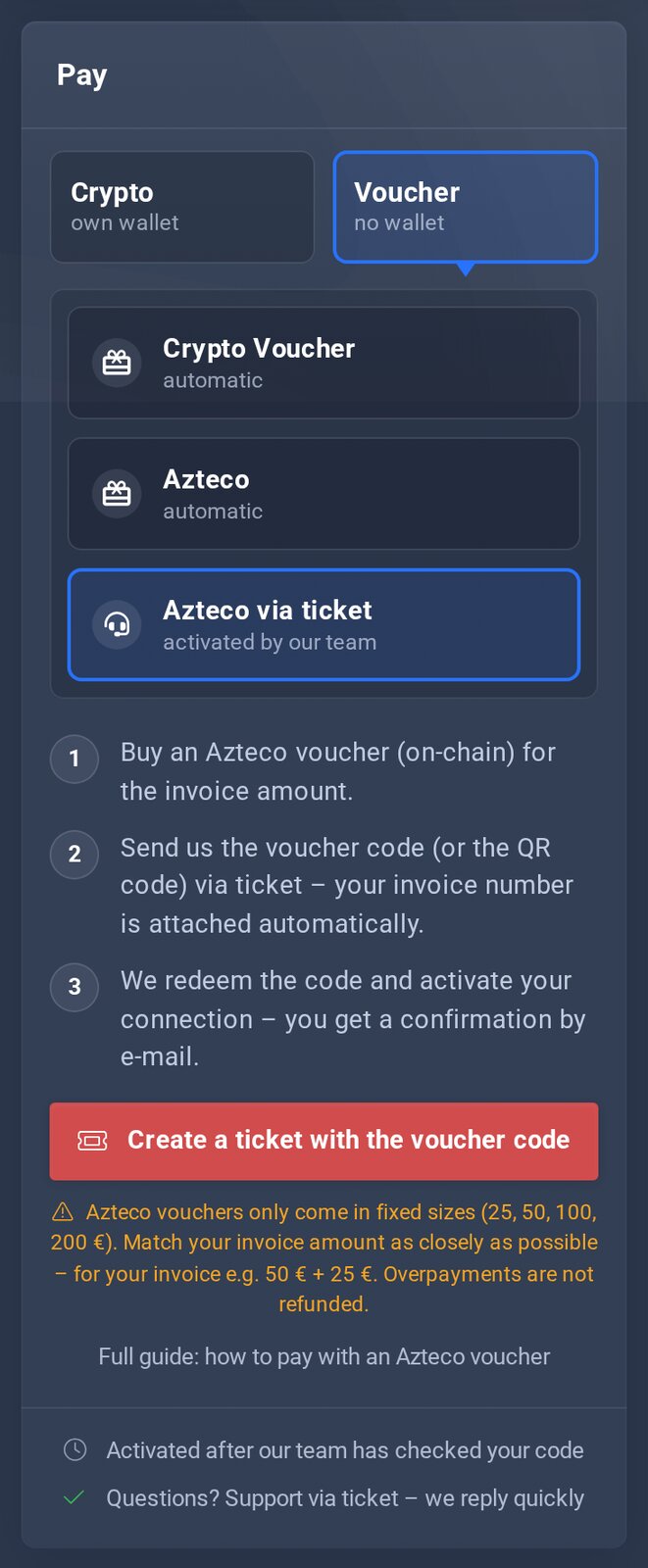
On the invoice page: the ticket button.
