




Pay with your own wallet (other cryptocurrencies)
With this payment method you pay from your own wallet in one of the following cryptocurrencies:
Ethereum (ETH), Bitcoin Cash (BCH), Monero (XMR), Zcash (ZEC), Dash, Dogecoin (DOGE) and Tether (USDT, ERC-20).
Want to pay with Bitcoin (BTC)? There is a dedicated, faster payment method „Bitcoin" – please use that one. This method here is for all other currencies.
- Choose your access and add it to the cart.
- Select „Crypto (except BTC)" as the payment method and place your order.
- Pick your currency: on the invoice page the payment module opens – select your desired cryptocurrency (Bitcoin is intentionally not listed here).
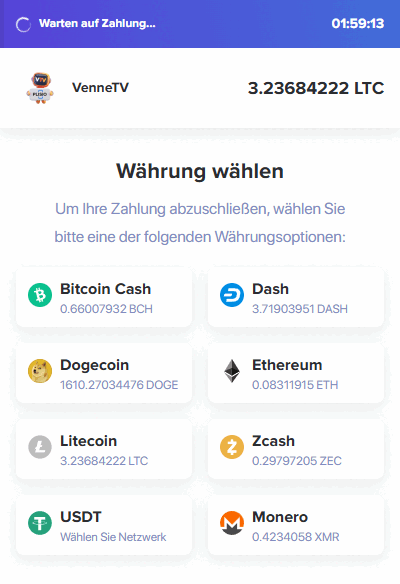
- Address + amount: you are shown the exact amount, the destination address and a QR code in your chosen currency – address and amount can be copied with one click. Each invoice gets its own address.
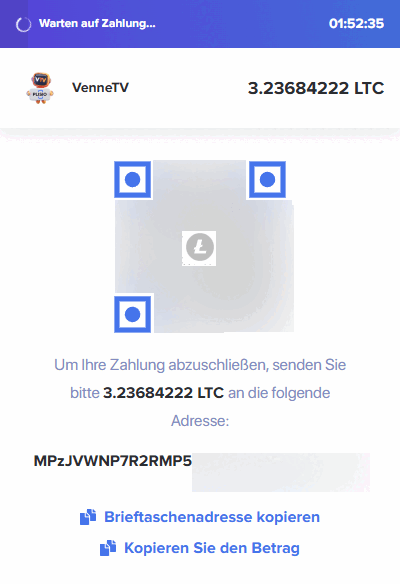
- Send & done: send the amount from your wallet. Once the payment confirms on the network, your invoice is marked paid automatically and your access is activated.
Important
- Send exactly the amount shown in the chosen currency. Overpayments will not be credited or refunded.
- Some wallet providers (e.g. Bitpanda, Coinbase, Kraken) require additional details. More info: Additional details for wallet payments.