




You renew and change the duration on the page of your access under Manage while the access is active. You get there via client area → My Services → tap the access.
Change duration Renew Why can't I right now? Several accesses
Want to renew? Don't buy a new access. A new order from the products is always a second access: your existing one is not extended, and both run in parallel. Always renew from your access. Before you pay, “Renewal” and your username must be shown. We don't correct wrong orders or merge accesses. Unsure? Ask via ticket first. How to renew correctly

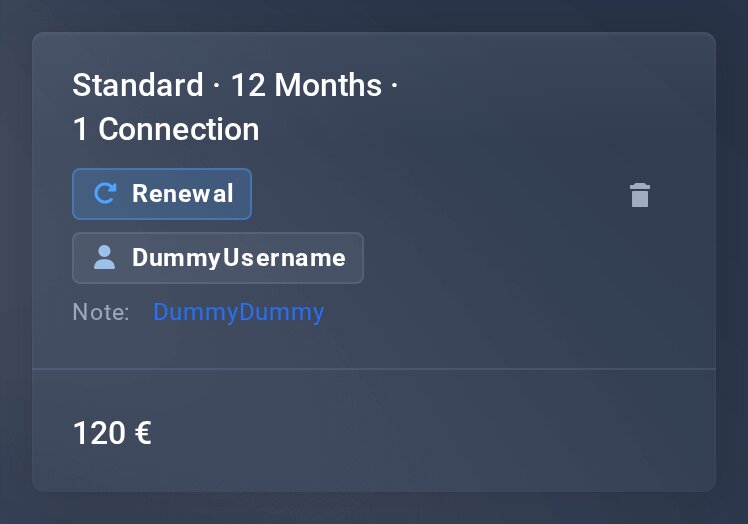
This is how a renewal must look at checkout: “Renewal” and your username.
Change duration
Under Manage › 1 Check duration you see all durations of your type of access as tiles with their price. Your current one is marked current.
- Tap the duration you want.
- Tap Change to … and confirm with Yes, change now.
- Done. The new duration and its price apply right away – you can renew straight after.
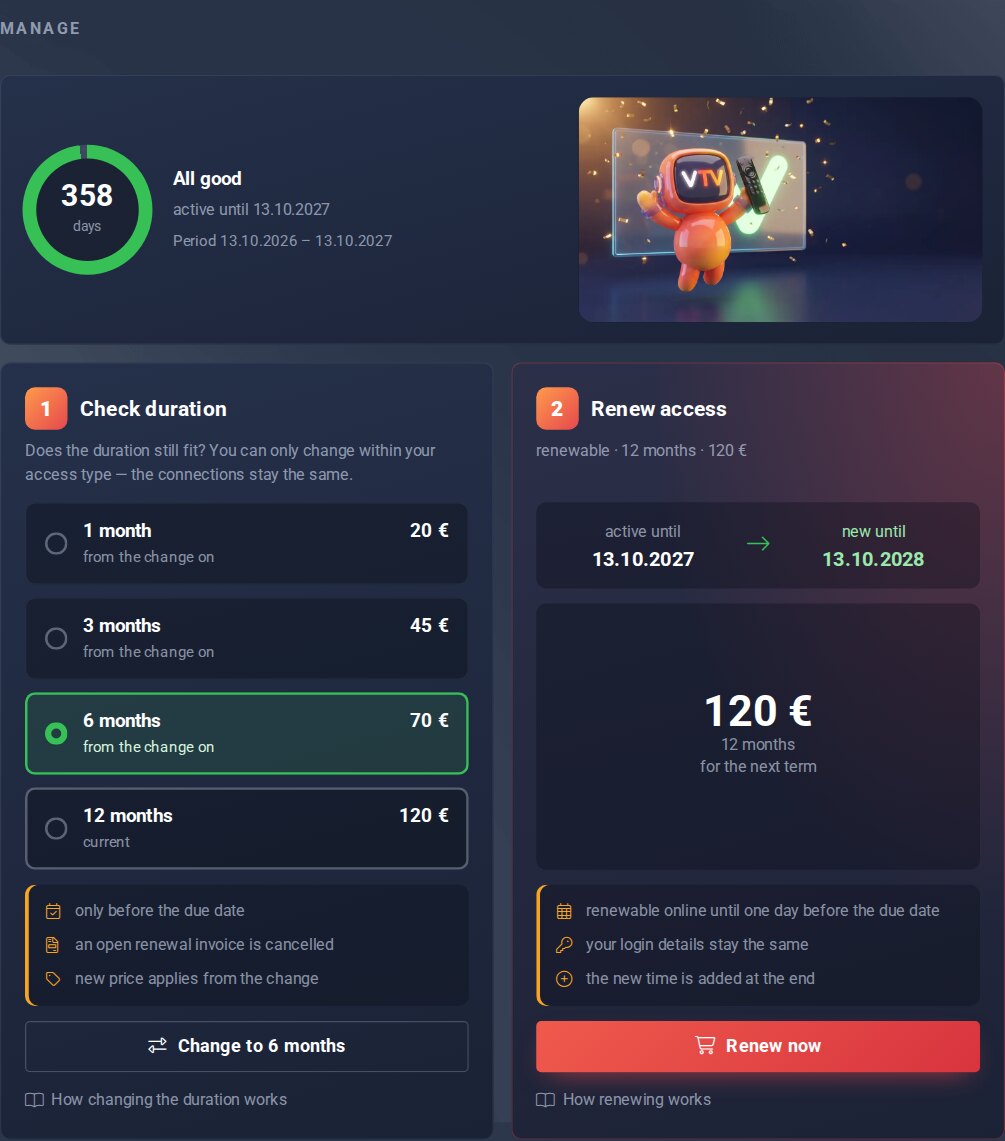
Step 1 on the page of your access.
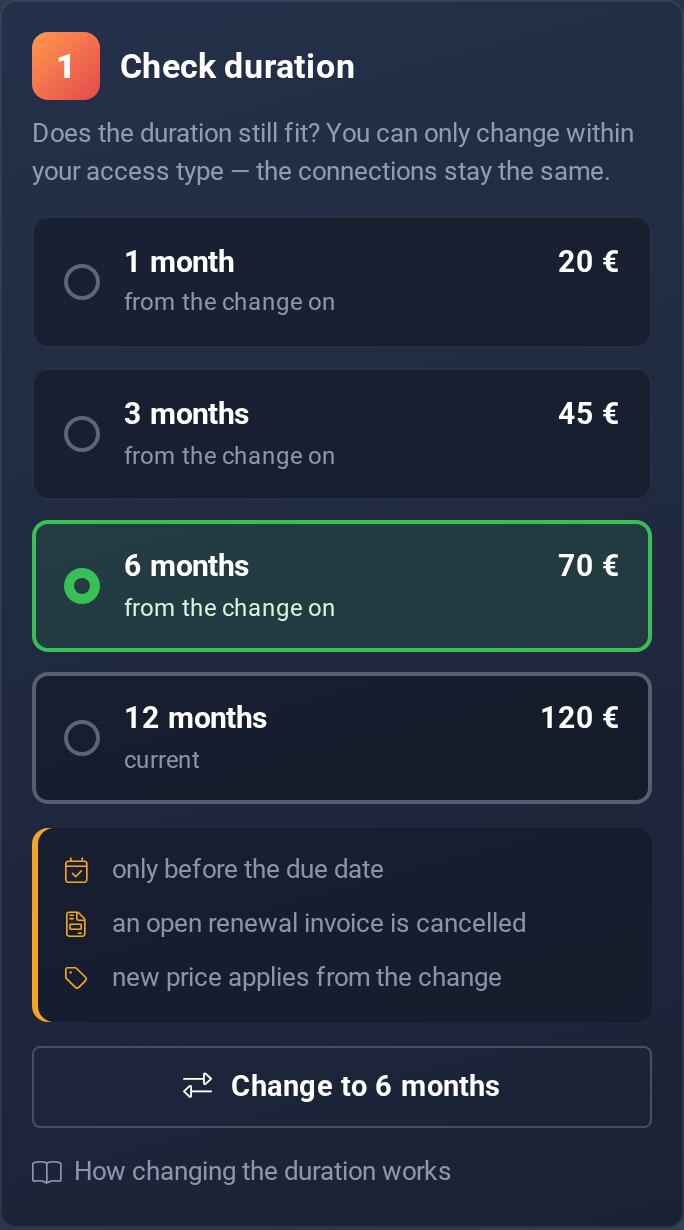
Good to know
- Changing only works before the due date.
- An open renewal invoice for the old duration is cancelled.
- The number of connections stays the same – you only change within your type of access.
- Package, one-time and trial accesses have no other duration.
Renew
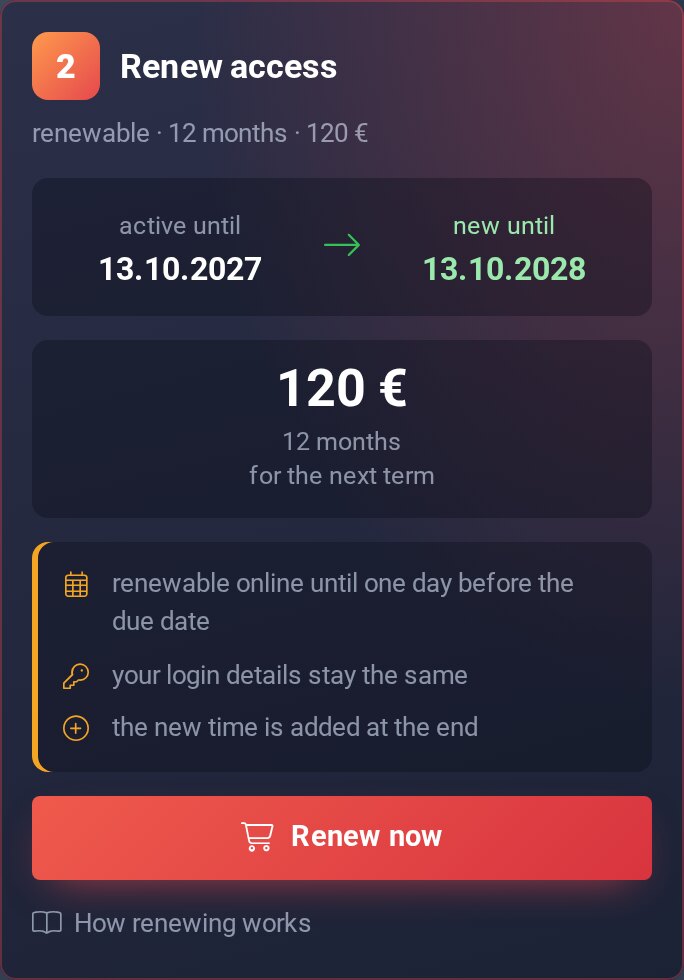
Under Manage › 2 Renew access you see active until, new until and the amount. The new time is added at the end, you don't lose a day.
- Tap Renew now – you land at the checkout.
- Check at the checkout that Renewal and the username of your access are shown.
- Pay as usual. After the payment your access runs until the new date.
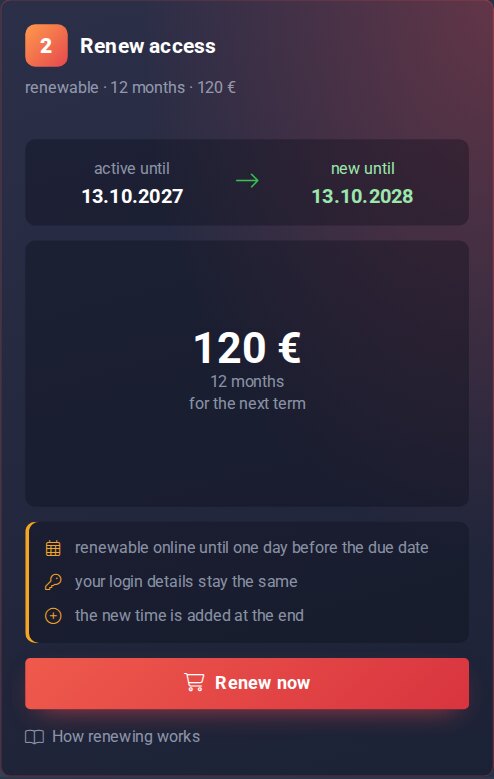
Step 2: active until → new until, amount, button.
Good to know
- Need more connections? You need another access for that – the number of an access can't be changed.
Why can't I right now?
As long as your access is active, step 2 shows the reason and the matching button. If it isn't active, you only see the header card with its state.
- Too earlyRenewing works as soon as your remaining time is at most one duration. The date is shown under Renewable from. Want to renew earlier? Tap Open ticket and we'll do it for you.
- Invoice open7 days before expiry we create the renewal invoice. Tap Pay now. Want a different duration? Change the duration first, the invoice is cancelled with it.
- Due dateOn the due date you still see your login data, but renewing online is no longer possible. Tap Open ticket and we'll renew for you.
- SuspendedUsually an invoice is open. The header card shows the reason and the button Pay invoice. After the payment everything is back.
- Trial, package or one-time accessEnds after the booked time and isn't renewed. For a trial, Buy access takes you to the shop.
- PendingRenewing works once the access is active. Until then the page only shows the header card.
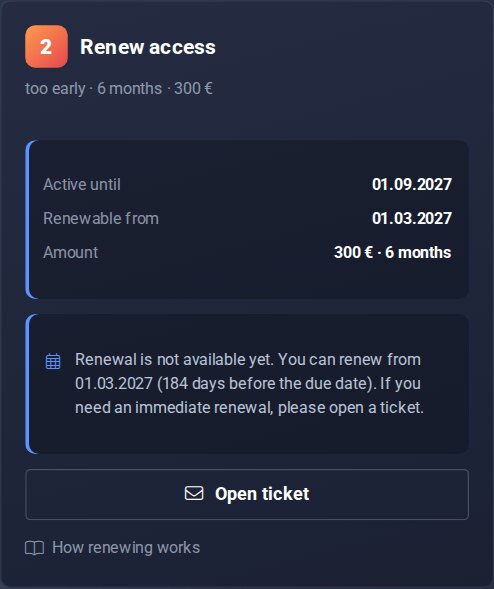
What “Too early” looks like.
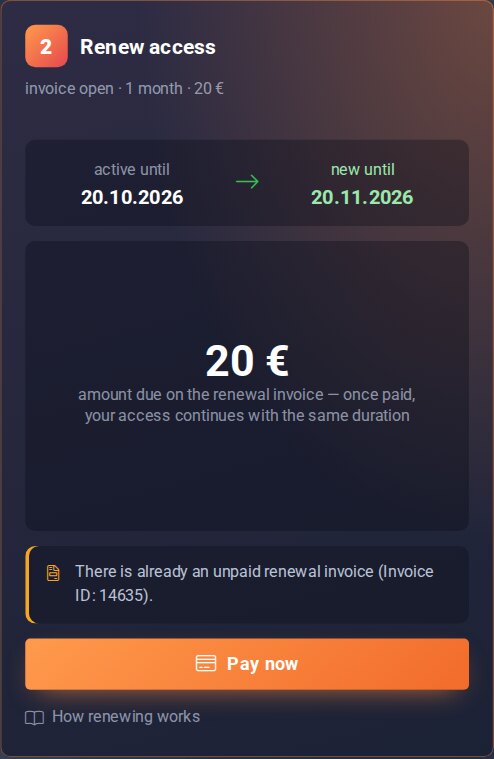
What “Invoice open” looks like.
Several accesses at once
Renew accesses lists every access under “Renewable now” as a card with active until → new until and the amount. Tap Add to cart on each access you want, then Checkout.
The order summary sits on the right on a computer and below the accesses on a phone. Under “Not renewable right now”, every other access shows the reason and what you can do.
Change duration shows your accesses in two groups: “Switchable now” and “Not switchable right now”. From 11 accesses, a bar on both pages helps you search, filter and sort.
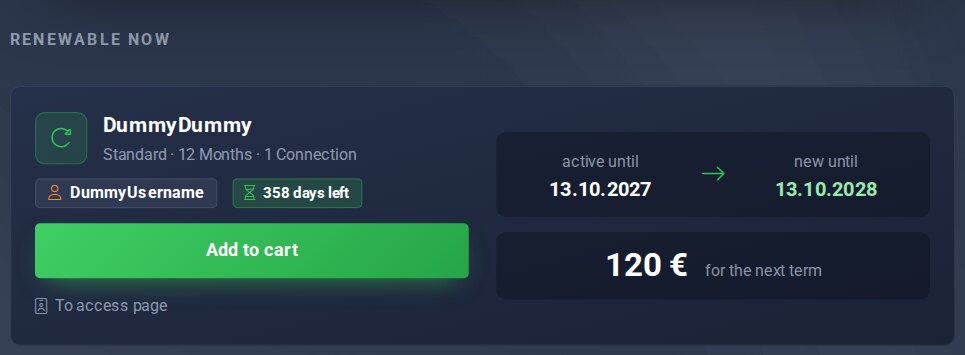
Renew accesses.
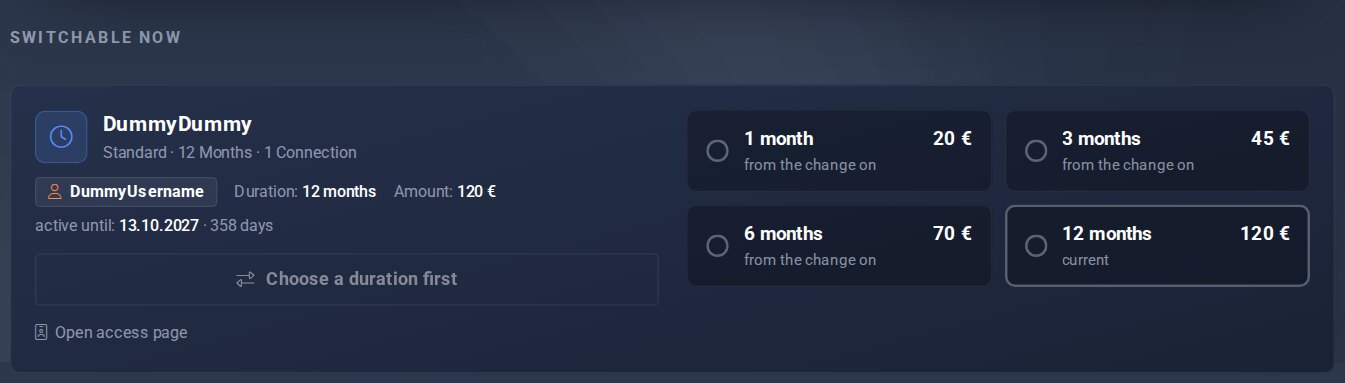
Change duration.
